ZX Spectrum guide
Load Your Own ZX Spectrum Tape Files
Got a Spectrum game as a TAP, TZX or Z80 file? Open it in Speccy and it loads through the real Sinclair ROM, without ever leaving your device.
In short
- Open the emulator, press Load and choose your file.
- Tape files (TAP, TZX, PZX, CSW) load through the real Sinclair ROM, exactly as on a Spectrum.
- Snapshots (Z80, SNA, SZX) start instantly at the moment they were saved.
- Files inside ZIP or GZ archives work too. Disk images for the +3 and Beta Disk don't, yet.
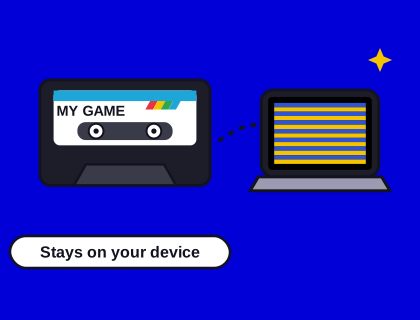
- Your file is read inside your browser and never uploaded to our server.
How to load a Spectrum tape file, step by step
- Open Speccy. Go to the arcade and open any game, or go straight to Speccy.
- Choose the machine. 128K suits most games, and gives you AY music where the game has it. If a game crashes or hangs on the 128K, switch to 48K and load it again.
- Press Load (the tape button) and pick the file from your computer, phone or tablet.
- Let it load. For a tape, Speccy resets the Spectrum and types
LOAD ""(or chooses Tape Loader on the 128K menu) for you. You'll see the loading stripes in the border and, usually, a loading screen. - Play. When the game is in, use its controls as normal. Save to a slot if you want to come back later.
Files you've opened are listed under My tapes in Speccy, so you can load them again without finding the file each time.
Which files can I open?
| Type | Extensions | What happens |
|---|---|---|
| Tape images | .tap .blk .tzx .pzx .csw | Played into the Spectrum as a tape, through the ROM loader |
| Snapshots | .z80 .sna .szx | The whole machine is restored, and the game carries on from that moment |
| Screens | .scr | Shown on the Spectrum's screen |
| ROMs | .rom | Installed as your own 48K (16 KB) or 128K (32 KB) ROM |
| Archives | .zip .gz | Opened, and the Spectrum file inside is loaded |
| Disk and Microdrive images | .dsk .trd .scl .mdr | Not supported yet: you'll see a message saying so |
Speccy looks at what's inside the file, not just its name, so a file with a missing or wrong extension usually still works. Our guide to Spectrum file formats explains the difference between TAP, TZX and the rest.
Is my file uploaded anywhere?
No. When you choose a file, your browser reads it and hands it straight to Speccy running on your own device. Nothing is sent to Spectrum Arcade, and we never see or store your tapes. The list in My tapes is kept in your browser's own storage.
Why is my tape taking so long to load?
Because it's loading at the Spectrum's real speed. The standard Spectrum loader managed roughly 1,500 bits a second, so a 48K game took around four to five minutes from a real cassette. Speccy plays tapes the authentic way, with the stripes and the sound. If you'd rather not wait, switch Speccy to fast mode, or load a snapshot instead. Our guide to how Spectrum tape loading worked explains the noises and the stripes.
What if my tape won't load?
- Try the 48K. Some games written before 1986 trip over the 128K's extra memory paging. Switch to 48K and load again.
- Try another copy. Tape images made from worn cassettes can contain errors. A TZX of the same game from a different source may work.
- Check it's a Spectrum file. TAP files also exist for other computers, such as the Commodore 64 and Amstrad CPC. They won't work here.
- Disk games for the +3 (DSK) and Beta Disk (TRD, SCL) need disk support, which Speccy doesn't have yet. Look for a tape version of the same game.
- Multi-part tapes. Some games load extra levels later. Leave the tape in the deck and Speccy will carry on playing it when the game asks.
Where can I find Spectrum games to load?
Many modern Spectrum games are released free by their authors, often as TAP files, and some classic publishers and authors have allowed their old games to be shared. Archive sites list tens of thousands of titles and say whether each one may be distributed. Please only load games you own or that you're allowed to download; our guide to playing Spectrum games online says more about what's legal.
And if you'd like to make a tape of your own, start with our guide to writing a ZX Spectrum game today.
Tips for the best experience
- Use a keyboard or gamepad on a computer; on a phone, turn it sideways for a bigger screen and pad.
- Save to a slot once a game has loaded, so you can skip the tape next time.
- Use rewind when you make a mistake: hold the rewind button to step back up to 40 seconds.
- Download a snapshot with the download button to carry on in another emulator.
Using your own Spectrum ROM
Speccy includes the standard Sinclair 48K and 128K ROMs, used with Amstrad's permission for emulators. If you'd like to use a different ROM, such as a modified or foreign-language version, open the ROM file: a 16 KB file is used for the 48K and a 32 KB file for the 128K. Your own ROM then takes priority for everything you load.
Questions and answers
How do I load a TAP or TZX file in my browser?
Open Speccy, our emulator, press Load and choose the file. It loads through the real Sinclair ROM, as if you had typed LOAD "". Our guide to loading your own tapes covers every step.
Are the tape files I load uploaded to your server?
No. Your browser reads the file and passes it straight to Speccy on your own device. We never see or store it.
Why won't my Spectrum tape file load?
The most common fix is to switch Speccy to 48K and try again, because some older games trip over the 128K. Also check it's a Spectrum file (TAP files exist for other computers too) and that it isn't a disk image, which we don't support yet.